AI product video generator: one photo, six images and two videos

Upload a product photo to the Unicorn Router AI product video generator and get six product images, two short videos and listing copy in English or German. Pick one of three styles, a video length of 8, 15 or 30 seconds and a 9:16, 1:1 or 16:9 format.

One photo in, a full set out
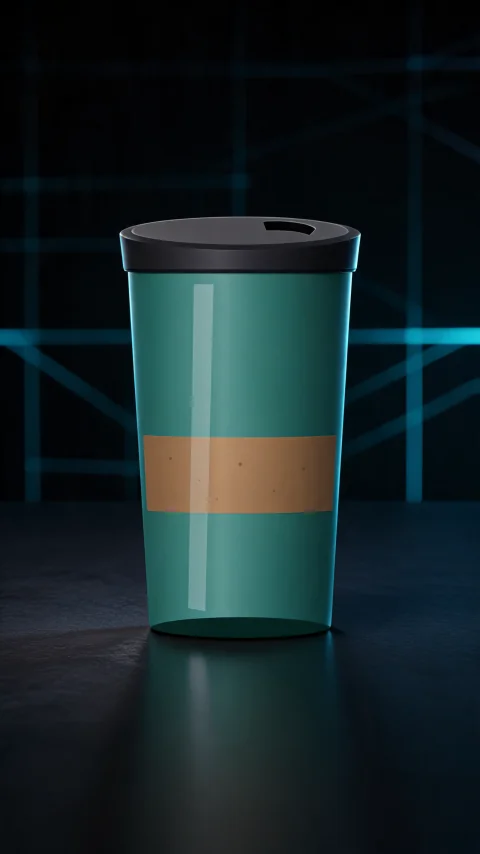
  • Front hero shot of a teal tumbler with a black lid on a dark desk with blue grid lighting, made by the AI product video generator in the Tech Cool styleFront hero
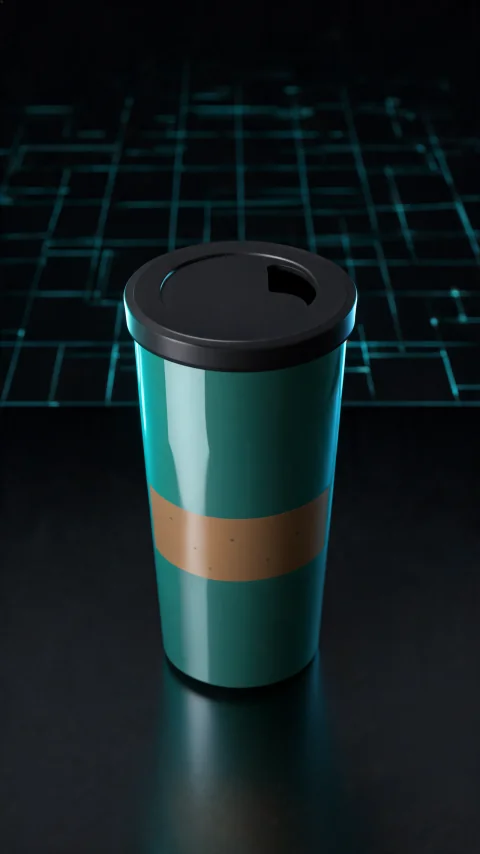
  • 45 degree side view of the same teal tumbler with a black lid on a dark surface, generated in the Tech Cool style45° side view
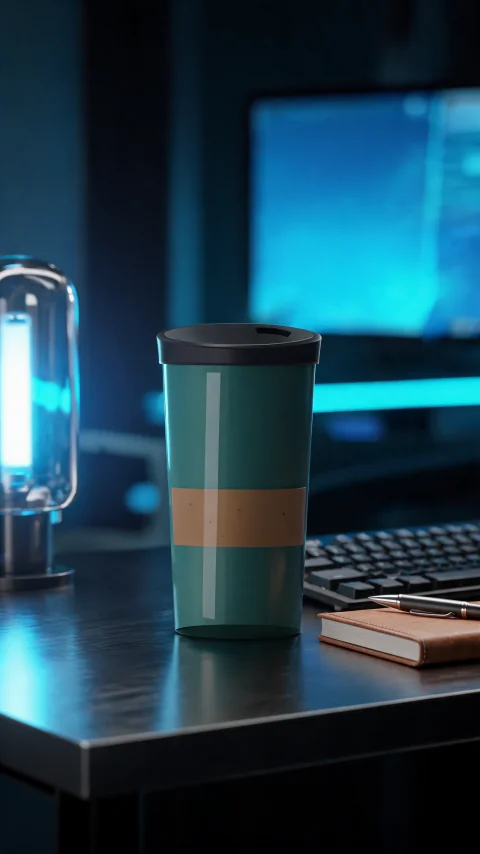
  • The same teal tumbler styled on a dark desk next to a keyboard, notebook and pen under blue light, generated in the Tech Cool styleStyled arrangement
  • Detail close-up
  • In use
  • Top-down
  • Hero video
  • Lifestyle video
Listing copyEnglishDeutsch

Amazon title · Key features · Product description · TikTok script · Hashtags

Real output from one product photo (Tech Cool style). The other tiles show the layout of a finished bundle, and your own set is generated from your photo.

What is an AI product video generator and what does Unicorn Router deliver?

An AI product video generator turns a product photo into the images and clips a seller needs for a listing or an ad. The Unicorn Router AI product video generator takes one to four photos and returns six product images, two short videos and listing copy. The images are a front hero, a 45 degree side view, a detail close-up, an in-use scene, a styled arrangement and a top-down shot, and the videos animate the front hero and the in-use scene. Choose one of three styles, Tech Cool, Cozy Living or Hot Deal, a length of 8, 15 or 30 seconds and a 9:16, 1:1 or 16:9 format. Resolution is 480p, 720p or 1080p, and 1080p is a Pro Max feature. The copy comes in English or German. The AI product video generator needs Pro at $25 per month, Pro Max at $55 per month, or pay-as-you-go credits from $10, and every result is labelled as AI-generated.

What the AI product video generator makes

Six product images from one photo

The AI product video generator makes a front hero, a 45 degree side view, a detail close-up, an in-use scene, a styled arrangement and a top-down shot. It first removes the photo background, and if that step fails you can continue with the original photo.

Two short product videos

One video animates the front hero and the other animates the in-use scene. Choose 8, 15 or 30 seconds; a 30 second video is two 15 second clips joined, the second continuing from the last frame of the first.

Listing copy in English or German

The AI product video generator writes an Amazon title, five key features, a product description, a TikTok script and hashtags. Pick German and you get the German copy plus an English version.

Formats for every channel

Choose 9:16 for short-video feeds, 1:1 for listings or 16:9 for store pages and ads. Video resolution is 480p or 720p, and 1080p is a Pro Max feature.

Three styles to match the sales channel

Each style sets the backdrop of the studio shots, the scene of the lifestyle shots, the look of the videos and the voice of the copy.

Tech Cool

Dark, sleek and blue-lit, with a launch-event look. The copy is sharp, precise and built on specs.

Cozy Living

Warm home light and calm everyday scenes. The copy is friendly and speaks about daily moments.

Hot Deal

Bold red and yellow with big-sale energy. The copy is punchy, and it never invents a price or a deadline.

Colour studies of each look. They are not generated samples; real Tech Cool output is shown at the top of the page.

How to use the AI product video generator

  1. 1

    Upload your product photos

    Sign up free, open Product Video and add one to four photos of the product. A short note about the product is optional.

  2. 2

    Choose style, length and format

    Pick Tech Cool, Cozy Living or Hot Deal, a video length of 8, 15 or 30 seconds, a format and the language of the copy.

  3. 3

    Generate, review and download

    Click Generate. The credit cost is shown first, every finished result is labelled as AI-generated, and Download all packs the files with a README into one ZIP.

Tips for better results from an AI product video generator

Start from a clear photo

Use a sharp, well-lit photo in which the product fills most of the frame. Add more photos from other angles when the product has details on its sides or back, because every image is built from your photo.

Describe the product in a few lines

A short note with the material, size and the main benefit gives the copy something real to work with. Without a note the copy stays general and avoids specific claims, numbers and specifications.

Check every result before you publish

The AI product video generator is told to keep the shape, colors, label and logo of your product, but AI can still get a detail wrong. Review each image and video, and add the AI label that your sales platform asks for.

What you can make with an AI product video generator

Pair the files with clips from our AI video generator, or use them as they are.

Marketplace listings

Fill a listing with six different images and use the Amazon-style title, key features and description as a first draft in English or German.

Short-video ads

Post the 9:16 videos and the TikTok script from the AI product video generator to short-video feeds and shop pages.

Store pages and campaigns

Use the 1:1 and 16:9 sets for a web shop, a campaign page or a newsletter, with a style that matches the season.

Start with the AI product video generator

Sign up free, then upgrade to Pro or Pro Max, or top up pay-as-you-go credits, to generate your first product bundle.

Related AI tools

AI image generator

Create images with GPT Image 2, Seedream 5.0 Lite or Qwen2, with optional reference images.

Learn more

Image to video AI

Animate a still image into an AI video with start and end frames, or copy motion from a reference video.

Learn more

AI voice generator

Turn a script into a voice-over with Gemini Flash TTS, eight voices and a style you describe.

Learn more

AI music generator

Describe a style, add lyrics or go instrumental, and generate an MP3 with MiniMax Music 2.0.

Learn more

Frequently asked questions

What is an AI product video generator?

An AI product video generator turns a product photo into marketing material: product images, short videos and listing copy. The Unicorn Router AI product video generator makes six images, two videos and the copy from one upload.

What do I get from one upload?

Six product images (front hero, 45 degree side view, detail close-up, in-use scene, styled arrangement and top-down), two short videos and listing copy with an Amazon title, key features, a description, a TikTok script and hashtags.

How many photos can I upload?

One to four photos of the same product. The first photo is the main one; the others show more angles.

How long can the videos be?

You choose 8, 15 or 30 seconds. The 8 and 15 second videos are one generated clip. A 30 second video is two 15 second clips joined together, with the second clip continuing from the last frame of the first.

Which video formats and resolutions are available?

The formats are 9:16, 1:1 and 16:9. The resolutions are 480p, 720p and 1080p, and 1080p is a Pro Max feature.

Which languages can the listing copy be in?

English or German. When you choose German, you get the German copy and an English version as well.

Is the AI product video generator free?

Signing up is free and the free plan covers text and image generation. A product bundle includes videos, so it needs a Pro or Pro Max plan or pay-as-you-go credits. The credit cost is shown before you generate.

Are the results labelled as AI-generated?

Yes. Every finished result carries an AI-generated label in the tool, and the ZIP contains a README that says the content is AI-generated and reminds you to check the labelling rules of your sales platform. No watermark is added to the files.

Will my product look exactly like the photo?

Every image is generated from your photo with an instruction to keep the shape, colors, label and logo unchanged. AI can still get a detail wrong, so review each result before you publish it.

Can I use the results commercially?

Results created on the Pro Max plan carry a commercial license. Results created on the Free, Pro and pay-as-you-go plans are licensed for personal use.

How long are my bundles kept?

A finished bundle stays in your Product Video history for 30 days, where you can open it again and download the files.